Private artifact
A tokenized Diffie preview URL
The preview exposed a real test result and an rrweb replay. The URL, token, host, credentials, signer identities, and connection details were treated as secrets and are not reproduced here.
 Production notes
A transparent build log
This is the full production record for turning a private Diffie browser-test replay into a polished 27.5-second product video: the brief, extraction path, programs, rejected draft, benchmark, frame renderer, audio, privacy controls, and final QA.
There were three creative inputs and one private product artifact. Separating them matters: the social “four lines” are an editorial condensation, not a claim that the original test specification contained only four literal lines.
The preview exposed a real test result and an rrweb replay. The URL, token, host, credentials, signer identities, and connection details were treated as secrets and are not reproduced here.
Lead with: “When was the last time you clicked through your product to see if a deployment broke something?” Then show the short plain-English input and the resulting browser proof.
Do not write a caption around a static screenshot. Find practical hook and editing guidance, use the recording itself, and produce a native social asset for LinkedIn and X.
Before editing, I inspected the test status, generation status, replay, and outcome. The story had to come from the demonstrated workflow—not from generic “AI testing” language.
The run prepared a document, launched a two-recipient signing journey, completed signer one before signer two, and reached the final document state.
The useful story was not “a bot clicked buttons.” It was that the test followed the handoff and checked the finished document with both signatures.
The test was processed, generation completed, and the individual run passed. Those statuses anchored every outcome claim in the video.
The initial cut was technically correct and publication-safe, but it looked like a screen recording placed inside a dark template. The criticism was right: it needed a coherent editorial system, tighter crops, purposeful motion, voice, and sound.
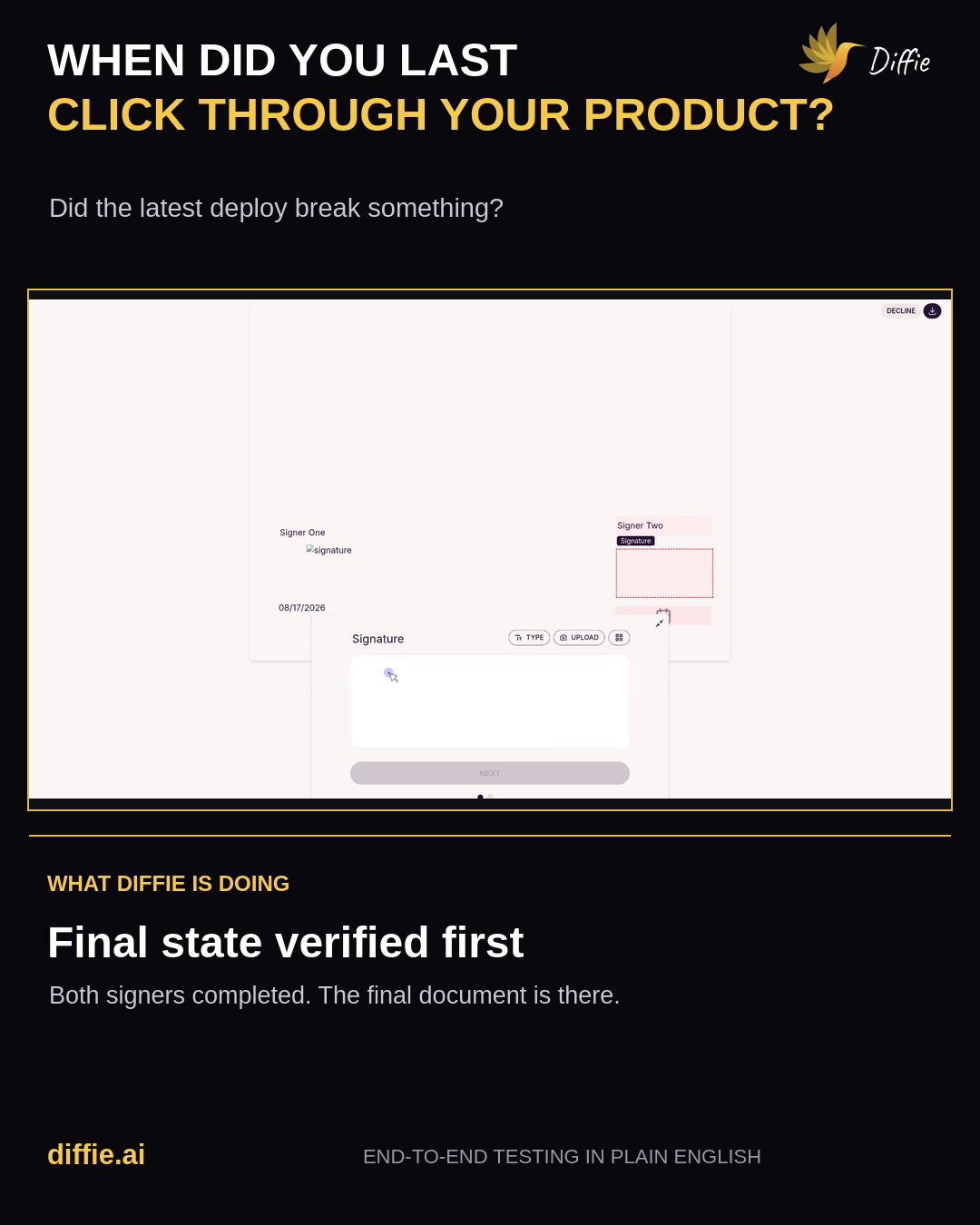
The UI should be cropped to the action that matters instead of being shown as a tiny full-screen rectangle.
Large typographic beats and a highlighted phrase create an opening that reads in a feed before the viewer turns sound on.
The final direction uses warm cream, Diffie yellow, deep plum, a grid, print-like texture, the hummingbird, rounded browser cards, and repeated status labels.
Voiceover carries the explanation; music, clicks, wipes, and success cues make the visual transitions feel intentional.
This is the reproducible path. The sensitive identifiers are deliberately omitted, but the programs and transformations are concrete.
I loaded social-platform, hook-writing, LinkedIn, FFmpeg, video-editing, and Remotion guidance. The useful rules were: lead with the viewer’s problem, keep the hook above “see more,” preserve real product proof, re-encode frame-accurate cuts, and make every overlay earn its place.
Remotion was considered, but a custom Pillow/NumPy renderer plus FFmpeg was faster and more deterministic in the available environment.
A browser/CDP harness opened the supplied preview. I inspected the page and API responses, found the rrweb recording, and isolated the replay from surrounding admin UI. Nothing from the tokenized URL was put into the output.
open_preview(TOKENIZED_URL)
status = read_test_status()        # processed
generation = read_generation_status() # completed
run = read_run_status()            # passed
recording = download_rrweb_artifact()The isolated rrweb player was recorded at 1920×1080, 30 fps. The resulting replay-raw.mp4 was 23.37 seconds, H.264, and silent. This gave FFmpeg and the Python renderer a conventional media source rather than a browser event log.
ffprobe -v error \
  -show_entries stream=codec_name,width,height,r_frame_rate \
  -show_entries format=duration,size \
  -of json replay-raw.mp4
# 1920×1080 · 30/1 fps · 23.366667 s · H.264I made an explicit denylist: preview token, test UUIDs, source host/IP, credentials, signer emails, signing links, raw generated code, connection details, and any traceable source identifier. The social edit uses blurred or tightly cropped product proof and replaces sensitive detail with safe editorial labels.
The final prompt card is a compact narrative device:
These lines summarize the demonstrated run for a social viewer. They are not presented as a verbatim export of the private test specification.
The raw 16:9 replay was trimmed to the useful 20.73-second window and converted into a clean 1016×572 product plate. That plate was decoded to 622 JPEG frames so the renderer could choose, crop, scale, and animate exact moments.
ffmpeg -i clean-demo.mp4 \
  -q:v 2 demo-frames/frame-%05d.jpg
# 622 frames available to the compositorrender_premium_v2.py is the main program: 509 lines of Pillow/NumPy composition. It creates texture, typography, brand header, prompt card, browser chrome, progress labels, focused camera crops, yellow wipes, success graphics, and the end card.
def render_frame(t):
    if t < 3.30:  frame = opening_scene(t)
    elif t < 3.82: frame = wipe_transition(...)
    elif t < 7.25: frame = prompt_scene(t)
    elif t < 7.82: frame = wipe_transition(...)
    elif t < 23.35: frame = demo_scene(t)
    elif t < 24.05: frame = wipe_transition(...)
else: frame = end_scene(t)Each of the 825 frames was composed at 720×1280 for speed, piped directly to FFmpeg, and upscaled with Lanczos to 1080×1920. H.264 High profile, yuv420p, and +faststart keep the file compatible and web-friendly.
ffmpeg -f rawvideo -pix_fmt rgb24 -s 720x1280 -r 30 -i - \
  -vf scale=1080:1920:flags=lanczos \
  -c:v libx264 -preset medium -crf 17 -pix_fmt yuv420p \
-movflags +faststart premium-v2-silent.mp4The narration was generated through the configured Hermes text-to-speech tool. generate_sound_bed.py synthesized an original 48 kHz stereo music/SFX bed with NumPy: harmonic pulses, a restrained bass pattern, UI clicks, transition sweeps, and a success chord. FFmpeg mixed the tracks and normalized the result.
After every deployment, someone still has to click through the product
and hope nothing broke. With Diffie, describe the workflow in four lines
of plain English. Diffie turns it into a real browser test, runs the journey
end-to-end, and checks the actual outcome. Here, both signers complete the
document, and the final state passes. Four lines in, a real test out.The final file was fully decoded to catch corrupt frames, probed for codecs and dimensions, measured with EBU R128, sampled into contact sheets, checked at transition boundaries, and scanned across 55 frames for exact matches to sensitive source identifiers.
ffmpeg -v error -i diffie-premium-social-v2.mp4 -f null -
ffprobe -v error -show_streams -show_format -of json \
  diffie-premium-social-v2.mp4
ffmpeg -i diffie-premium-social-v2.mp4 \
  -filter_complex ebur128=peak=true -f null -
# Full decode: PASS · Integrated loudness: −16.4 LUFSThe composition moves from problem → short input → browser evidence → verified outcome. The UI never has to carry the narrative alone.
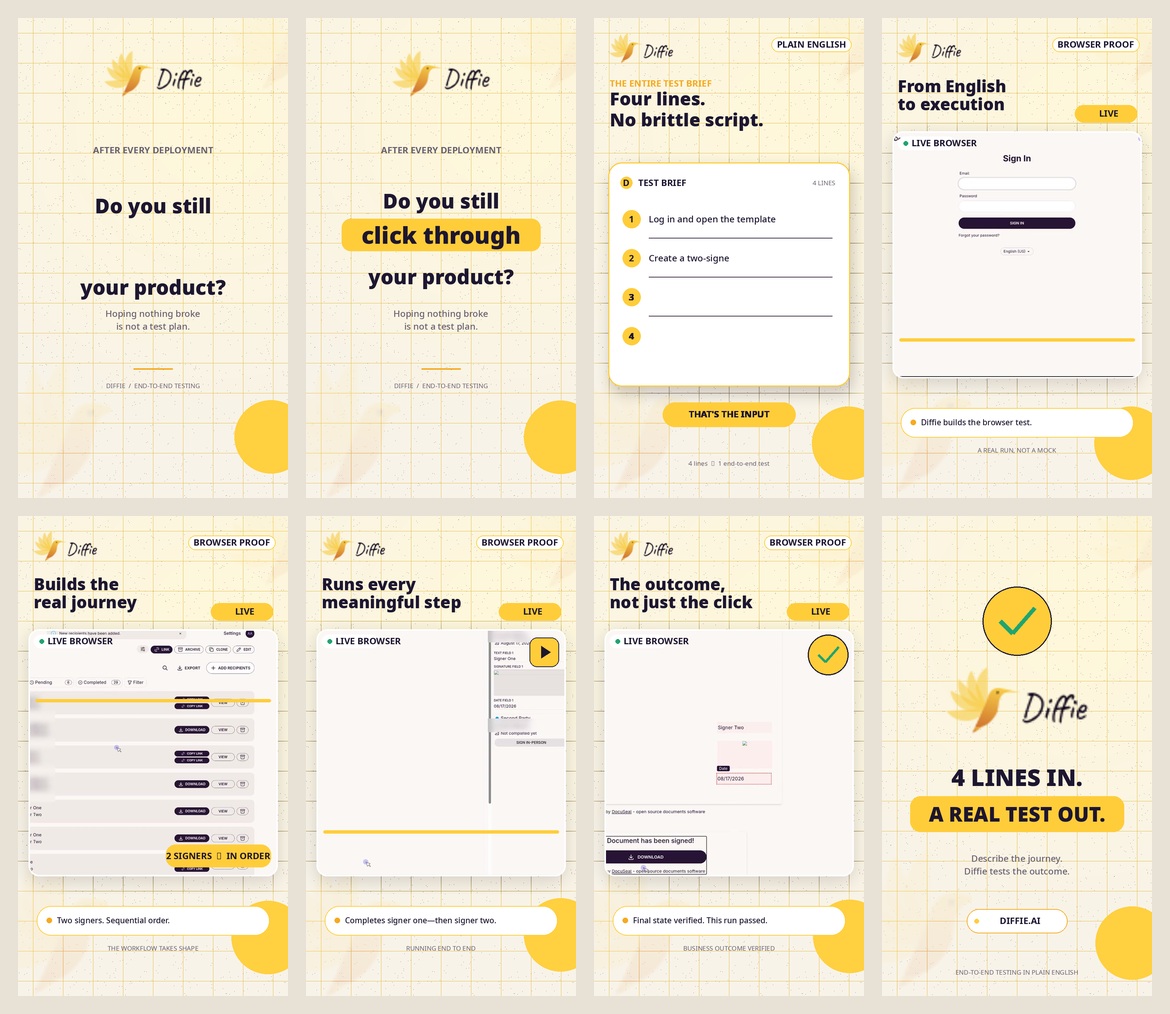
No single “make product video” button produced this. Each tool had a narrow job, and the final quality came from the handoffs between them.
Opened the private preview, inspected the replay, isolated the player, and captured product evidence.
Reconstructed the browser journey from the recording artifact before conventional video capture.
Trim, crop, decode, extract frames, encode H.264, mix AAC, measure loudness, and validate metadata.
Orchestrated the compositor, security scans, asset preparation, and deterministic rendering.
Drew every frame: typography, cards, texture, masks, crops, status chips, wipes, and end card.
Generated the music/SFX bed sample by sample and supported image compositing math.
Rendered the narration through the configured text-to-speech provider.
Sampled 55 frames, searched for source identifiers, checked transitions, and reviewed contact sheets.
The output is code-driven. Feedback can be specific: change the hook, shorten the prompt card, adjust a crop, lower the music, or shift the brand palette without rebuilding the whole workflow.
Edit the text inside opening_scene() and prompt_scene().
premium-v2/render_premium_v2.py · approximately lines 291–325Also update the voiceover so spoken and visual claims remain aligned.
Edit the thresholds in render_frame(t): 3.30, 3.82, 7.25, 7.82, 23.35, and 24.05 seconds.
premium-v2/render_premium_v2.py · approximately lines 453–466Edit demo_phase() and the camera_crop() targets. Each phase maps the clean replay to a focused UI moment.
premium-v2/render_premium_v2.py · approximately lines 329–451The top-level constants control cream, ink, yellow, green, purple, canvas size, fps, and font paths.
premium-v2/render_premium_v2.py · approximately lines 18–35Edit the event list for clicks, transitions, success cues, and the harmonic/bass patterns. Keep the final mix around social-video loudness rather than maximizing peak volume.
premium-v2/generate_sound_bed.py · approximately lines 49–90Edit W/H, the final scale, CRF, and pixel format. Recheck text safe areas if moving from 9:16 to 4:5 or 1:1.
premium-v2/render_premium_v2.py · approximately lines 22–23 and 487–498A render existing on disk was not enough. The deliverable had to decode, fit social-video conventions, sound controlled, preserve the actual test story, and avoid exposing private data.
Opening, wipes, browser crops, sequential-signer callouts, final verification graphic, and end card were reviewed at full resolution.
Copy was constrained to what the preview proved: this generated two-signer run completed and passed.
The public output contains no preview URL, token, source host, credentials, signer email, raw test code, or connection details.
This is the relevant project structure. Sensitive source files remain local and are not linked from this page.
diffie-four-lines-demo/
├── replay-raw.mp4                    # private raw replay; do not publish
├── recording-….json                 # private rrweb artifact; do not publish
├── render-social-video.sh            # superseded 4:5 experiment
├── social-copy.md                    # LinkedIn and X drafts
├── research-skills/                  # hook/editing references
└── premium-v2/
    ├── render_premium_v2.py         # main 509-line frame compositor
    ├── generate_sound_bed.py        # original 48 kHz music + SFX
    ├── clean-demo.mp4                # sanitized product plate
    ├── demo-frames/                  # 622 decoded source frames
    ├── premium-v2-silent.mp4         # 825-frame visual render
    ├── storyboard-contact.jpg        # review sheet
    ├── final-ocr/                    # 55-frame security sample
    ├── final-audio-audit.log         # EBU R128 measurement
└── diffie-premium-social-v2.mp4 # final deliverablediffie-social-video captures the source-discovery sequence, claims discipline, privacy denylist, hook framework, 9:16 render architecture, audio targets, QA gates, deliverable format, and common failure modes from this project.